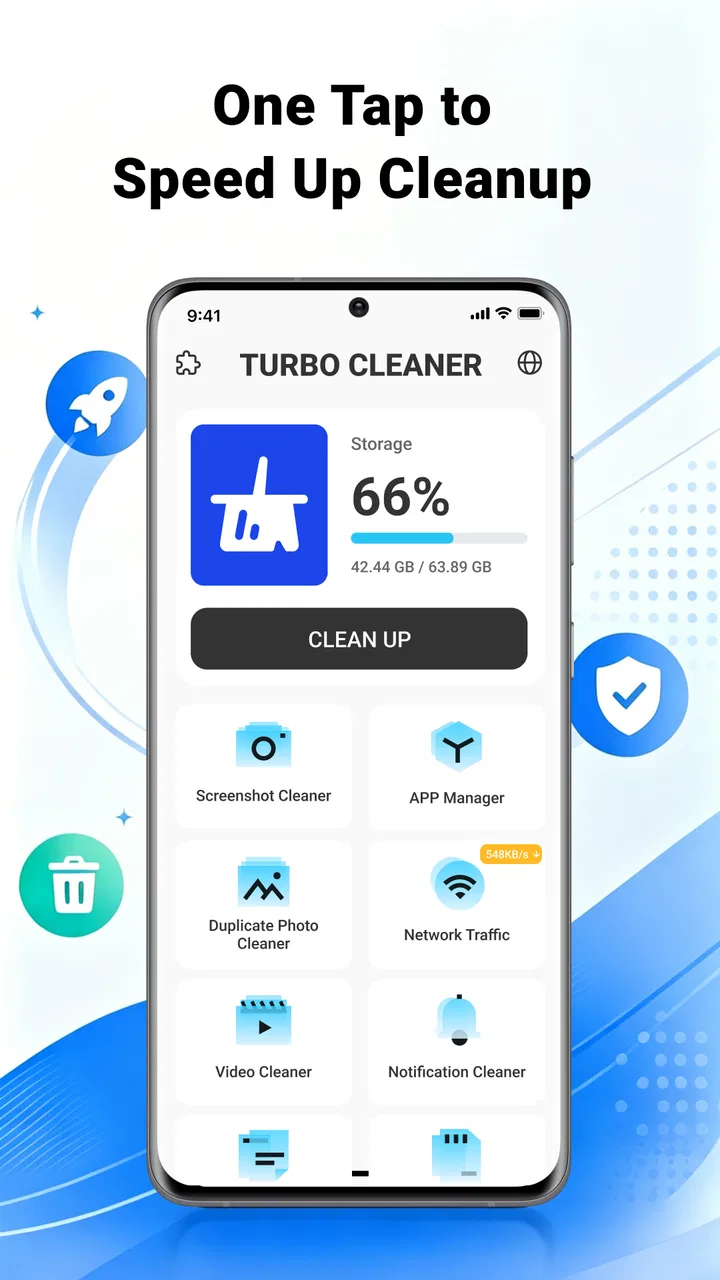
Turbo Cleaner - Junk Clean
- 3.8
- Rating
- 1.00M
- Installs
- Free
- Price

 Analysis by App-foxy
Phone storage problems rarely arrive as one dramatic event. They build quietly through duplicate photos, forgotten videos, downloads you no longer need, and files that were useful for one afternoon but have stayed on the device for months. When the warning finally appears, the cleanup job feels larger than it should. Turbo Cleaner - Junk Clean is designed for that recurring maintenance task: finding clutter and helping you organize photos, videos, and files from one tools-focused app.
I approached it less like a magic speed booster and more like a practical housekeeping utility. That distinction matters. The real value here is not a promise that every phone will suddenly feel new. It is the time saved when you can review unwanted material in one place instead of opening several folders and guessing what is safe to remove. Its best use is controlled cleanup, not blind deletion.
How Turbo Cleaner fits into everyday phone maintenance
I find a cleaner most useful when it gives me a repeatable way to check clutter, rather than encouraging a rushed sweep. A small habit—reviewing one kind of material at a time—also makes it easier to spot files I should keep before I remove anything. That practical distinction sets up the next question: what the app’s focused approach does well, and where it still needs my judgment.
You May Also Like

 Blood Strike: 2.5 Anniversary
Blood Strike’s Loadouts Turn Every Drop Into a Tactical Gamble
A close look at Blood Strike’s custom loadouts: how fast access to signature weapons reshapes its battle royale rhythm, rewards preparation, and narrows the gap between fights.

 Pandora - Music & Podcasts
Pandora’s Music Is Easy to Start, but Harder to Recover
Pandora’s strength is its low-effort path from a seed to a station. Its weak spot is how much confidence it asks you to place in connection, setup, and quiet recovery.

 8 Ball Pool
 Is Built on Rivalries, Rematches, and Routine
A close look at the rivalries, rematches, shared routines, and unanswered safety questions that turn a quick pool match into a persistent mobile community.

 Samsung Music
’s Quiet Strength Is Playing What You Already Own
Its reach comes less from spectacle than from dependable access to a personal library. That simplicity is both the app’s strongest retention engine and its ceiling.

 AccuWeather: Weather Radar
AccuWeather Review: A Quick, Clear Forecast for Everyday Decisions
For everyday plans, the best forecast is the one you can understand quickly. AccuWeather makes rain timing, radar, and local conditions easy to act on, with a few trade-offs.

 Hill Climb Racing
Why Hill Climb Racing Still Turns Crashes Into One More Run
A tiny car, a bumpy hill and one more upgrade: Hill Climb Racing keeps resurfacing because its simple chaos makes every near-miss feel personal.
More From Our News Desk



The storage problem it tries to solve
Most people do not need to clean their phone because they enjoy sorting files. They do it because storage becomes inconvenient at the worst possible moment: before taking an important photo, while downloading a large attachment, or when an application needs room to update. Manual cleanup is possible, but it is scattered across camera folders, messaging folders, downloads, and the file manager.
This app brings the idea of a quick reset into a single workflow. Its store summary focuses on clearing junk and organizing photos, videos, and files, and that matches the way I found it most useful. Rather than treating every item as disposable, I would use it as a first pass that shows where clutter is accumulating. I still want to inspect anything personal before removing it, especially media received through conversations or files with vague names.
That approach also explains why the app is more appealing to casual users than to someone who already maintains a carefully organized phone. If you know exactly where every folder is and regularly review it, Turbo Cleaner may not change your routine much. If your storage is a mixture of screenshots, old downloads, short clips, and forgotten documents, the centralized process is more convincing.
Getting started without making a risky mistake
The first useful setup is not pressing the biggest cleaning button. It is learning how the app presents candidates for removal. I recommend opening each available category and checking whether the items are genuinely disposable before confirming anything. A thumbnail can look unimportant until you realize it is the only copy of a receipt, a travel document, or a family video.
I would begin with obvious temporary clutter and old downloads, then move to photos and videos. Media deserves more attention because its importance is often emotional rather than technical. A large video may be something you want to keep even if it has not been opened recently. A screenshot may look disposable but contain information you still need. The safest habit is to use the cleaner as a sorting assistant and keep the final decision in your hands.
Turbo Cleaner is free, which makes that trial process easy for people who do not want to commit money to a maintenance tool. It is intended for Everyone, and the minimum operating system is Android 7.0. The current release is V1.0.0, so I would keep expectations sensible: this is a straightforward utility to evaluate through its actual cleanup flow, not a mature platform with years of visible version history.
What the first session tells you
A good first session should answer three practical questions. What is taking up space? Which items are clearly safe to remove? And how much of the suggested cleanup requires personal judgment? These questions are more useful than simply chasing the largest possible cleanup total.
For example, if the app highlights a pile of old images, I would sort mentally into three groups: disposable screenshots, useful reference images, and memories worth preserving. That simple separation prevents the common mistake of treating volume as proof that something is junk. For files, I would pay attention to names and locations before selecting anything. The time-saving benefit comes from seeing the candidates together, not from surrendering control.
The developer is CN CodeHub, and the app has reached over one hundred thousand installs with a 3.6 average from around one hundred seventy-five ratings. Those figures suggest that it has found a real audience, while the moderate score is also a reminder to judge the experience on your own device. Cleanup tools can behave differently depending on how much media and file clutter a phone has accumulated.
A realistic weekly cleanup routine
My preferred routine would be short and deliberate. I would open the app after a week of heavy messaging or after returning from a trip, inspect the categories, remove only material I recognize, and then leave the rest for a later review. This is better than waiting until storage is nearly full, because urgency encourages careless decisions.
There is also a useful trade-off between frequency and depth. A quick weekly pass can prevent a large backlog, but it may not uncover the same kind of disorder as a longer monthly review. On the other hand, a monthly cleanup gives you more to inspect at once and increases the chance that you will forget why a file exists. Turbo Cleaner makes more sense as a light recurring habit than as an emergency button used when the phone can barely function.
When a busy photo day creates a problem
Imagine spending a Saturday taking photos and short videos, then receiving more media through group chats. By Sunday, the camera roll contains near-identical shots, blurred attempts, screenshots of directions, and the images you actually want to keep. Manually checking them one by one in the gallery is tedious. A cleanup-focused tool can reduce the amount of searching involved by giving the unwanted material a dedicated review step.
I would still keep the gallery open in my mind as the authority for memories. The cleaner is useful for narrowing attention, but it should not replace a backup routine or a personal archive. If a photo matters, preserve it somewhere you trust before deleting related copies. This is one of the most important practical limits of any junk-cleaning workflow: convenience does not make deletion reversible.
When downloads quietly take over
Downloads are another strong use case because they often contain items with short-term value. A document may be needed for a form today and irrelevant tomorrow. An image may have been saved only to share once. A compressed file may have already been extracted. When these leftovers accumulate, a dedicated review can be faster than remembering which application created each one.
Here I would use a simple rule: remove only files whose purpose is clear. If the name is unfamiliar, open or investigate it first. This is especially important for work documents, offline reading material, exported media, and files saved for travel. Turbo Cleaner can reduce the effort of locating this material, but it cannot know why you personally kept it.
How it compares with the usual alternatives
The most obvious alternative is the phone’s built-in file manager and gallery. Those tools usually offer more direct control because they are already part of the operating system, and experienced users may prefer them for precise folder-by-folder organization. Their weakness is that the cleanup process can feel fragmented. You may need to switch between locations and remember several places where unwanted files tend to hide.
Turbo Cleaner’s advantage is the focused maintenance mindset. It is built around the question, “What can I review and clear now?” rather than “Where is this file stored?” That can make it more approachable for someone who does not enjoy file management. The trade-off is that a focused cleaner may be less suitable for detailed archival work, naming conventions, or a carefully structured folder system.
Another alternative is a cloud photo service. Cloud storage can help preserve memories and reduce the pressure on local storage, but it is not the same as cleaning downloads, screenshots, and miscellaneous files. Turbo Cleaner addresses local clutter, while cloud backup addresses preservation and access across devices. I would not treat one as a replacement for the other.
Dedicated file-management applications may be better for advanced users who need batch renaming, folder transfers, or precise storage analysis. Turbo Cleaner is easier to understand when the goal is a quick review of photos, videos, and files. If your main problem is moving a large project between folders, a full file manager is likely the better choice.
Where the app saves time
The time saving comes from reducing the number of decisions needed to begin. Instead of wondering which folder deserves attention, I can start with a cleanup-oriented view and work through the material in front of me. That lowers the mental friction that causes many people to postpone maintenance.
There is also a psychological benefit to separating review from ordinary browsing. In a gallery, I tend to look at memories. In a cleaning session, I am more prepared to question whether an item still deserves space. The same photo can feel different depending on the task. That change in context is a small but useful part of the app’s design purpose.
Still, the app does not eliminate judgment. The fastest possible cleanup is not necessarily the safest one. If you select everything just to save time, you may create a second problem by removing something valuable. I would rather spend a few extra minutes reviewing categories than recover from an accidental deletion.
Limits that affect the recommendation
The moderate average rating means I would not recommend installing it with the expectation of a flawless, universal solution. A cleaner’s usefulness depends heavily on the phone’s existing organization, the amount of media involved, and how clearly the app identifies its candidates. A person with a simple device and little clutter may notice very little benefit.
The version is V1.0.0, which makes the product feel like an early-stage utility rather than a deeply established maintenance suite. That is not automatically a problem, but it does make me more cautious about relying on it for a large, irreversible cleanup in one session. I would start with a small batch, observe the workflow, and only then decide whether it deserves a regular place on the phone.
Another limitation is conceptual: “junk” is personal. A duplicate screenshot may be worthless to one person and essential to another. Old videos can be large, but size alone does not make them unwanted. The app can organize the review, but it cannot understand family memories, work obligations, or the reason a file was saved. Anyone who wants completely automatic decisions should skip this kind of tool and use a more manual process instead.
Who should use it and who should skip it
I would recommend Turbo Cleaner - Junk Clean to Android users who regularly run out of space, dislike searching through several storage locations, or want a simple starting point for reviewing accumulated media. It is especially suitable for people whose phones contain a messy mixture of photos, videos, screenshots, and downloads rather than one clearly organized archive.
I would be more hesitant to recommend it to photographers, professionals managing important documents, or anyone who needs detailed folder control. Those users may be better served by a full file manager, a dependable backup system, or a carefully maintained computer-based archive. The same caution applies if you are uncomfortable reviewing deletion suggestions yourself.
Because it is free and rated for Everyone, trying it is relatively approachable for the intended audience. The important condition is to begin conservatively. Treat the first session as an inspection, not a storage purge. Once you understand how it groups material, you can decide whether the convenience is worth adding to your routine.
My final judgement
Turbo Cleaner - Junk Clean addresses an ordinary but persistent annoyance: clutter that is too small to handle immediately and too widespread to find easily later. I like it most as a guided starting point. It can make cleanup feel less scattered, and that alone may save more time than a collection of isolated manual searches.
My recommendation is positive but measured. Use it for regular review, begin with files you recognize, and keep valuable photos and documents backed up before deleting anything. Do not expect it to understand the difference between meaningless clutter and a personally important memory. If your goal is less searching and a more manageable cleanup routine, this free tools app is worth trying; if you need precise archival control, stay with a full file manager instead.
FAQs for Turbo Cleaner - Junk Clean
01What features does Turbo Cleaner - Junk Clean offer?
Turbo Cleaner - Junk Clean provides a comprehensive suite of features designed to optimize your device. It offers junk file removal, memory boosting, CPU cooling, and battery saver functions. The app is user-friendly, ensuring even those new to mobile optimization can easily navigate its features. Additionally, it provides real-time monitoring to keep your device running smoothly.
02Is Turbo Cleaner - Junk Clean safe to use on my device?
Yes, Turbo Cleaner - Junk Clean is designed with safety in mind. The app does not access personal data or sensitive information. It focuses solely on optimizing system performance by clearing cache and junk files. Always ensure you download the app from a reputable source like Google Play Store or Apple App Store to avoid counterfeit versions.
03Does Turbo Cleaner - Junk Clean really improve device performance?
Turbo Cleaner - Junk Clean can significantly enhance device performance by clearing unnecessary files and freeing up memory. Many users report noticeable improvements in speed and responsiveness after using the app. However, results may vary based on individual device conditions and usage patterns.
04Will using Turbo Cleaner - Junk Clean affect my important files or data?
Turbo Cleaner - Junk Clean is designed to target only junk files, cache, and temporary files that do not affect your important data. It carefully scans and identifies files that can be safely removed without compromising any personal or critical data stored on your device. Always ensure you review what the app proposes to delete before proceeding.
05How often should I use Turbo Cleaner - Junk Clean to maintain optimal performance?
For optimal performance, it is recommended to use Turbo Cleaner - Junk Clean at least once a week. Regular cleaning helps in maintaining device speed and efficiency by preventing the accumulation of unnecessary files and memory clutter. Users with heavy app usage may benefit from more frequent cleanings.
Pros
- Efficiently cleans junk files.
- Boosts device performance quickly.
- User-friendly interface.
- Includes battery saver feature.
- Real-time device monitoring.
Cons
- Contains in-app ads.
- Limited features in free version.
- Requires frequent updates.
- May slow down older devices.
- Permissions can be intrusive.

Turbo Cleaner - Junk Clean
Gallery